evela evela

Earning and spending in different currencies?

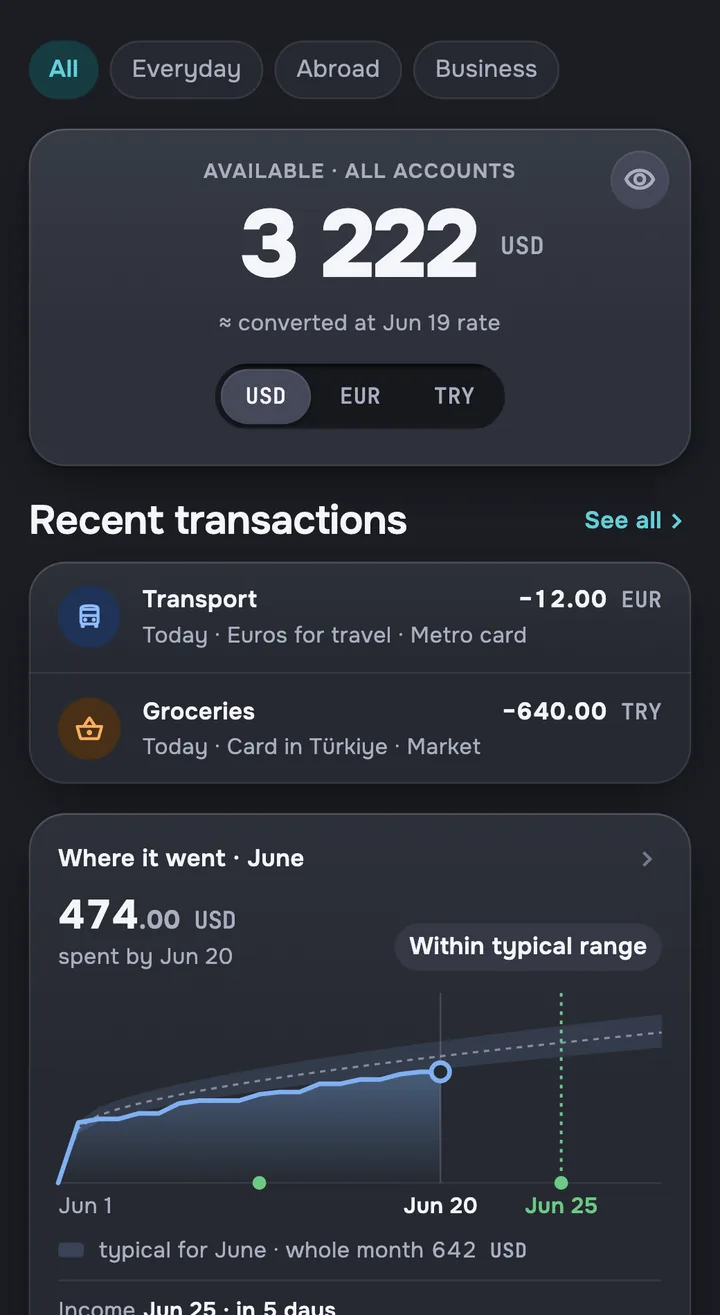
Evela brings it all into one total, in the currency you think in — and points out what’s changing in your spending.

You add entries yourself, by voice or by typing.

  • All your money in one total — cash, cards and accounts in different currencies
  • Spending in local currency — pay in one currency from an account in another; Evela keeps both amounts
  • Voice entry — say several purchases in one go, in 77 languages Evela AI
  • AI insights — what’s changing in your spending, by category Evela AI

Entries and your total are free on every plan. Voice, AI insights and suggestions from a note come with Evela AI.
rocket_launchAvailable on iOS and Android
See how it worksarrow_downward Your account is created inside the app — sign in with Google or Apple.
Evela overview on a phone: one total across all accounts with a currency switch, the latest transactions, and this month’s spending against a typical month with the next income marked on the chart
What Evela does

All your money in one total. And what’s changing in it.

Multi-account · multi-currency

All your money, one total.

Cash in your pocket, a card from your home bank, an account in another country: each keeps its own currency. Evela brings them into one total in the currency that suits you. Some accounts, like savings, can be hidden from the total so they stay out of sight; Net worth still counts them.
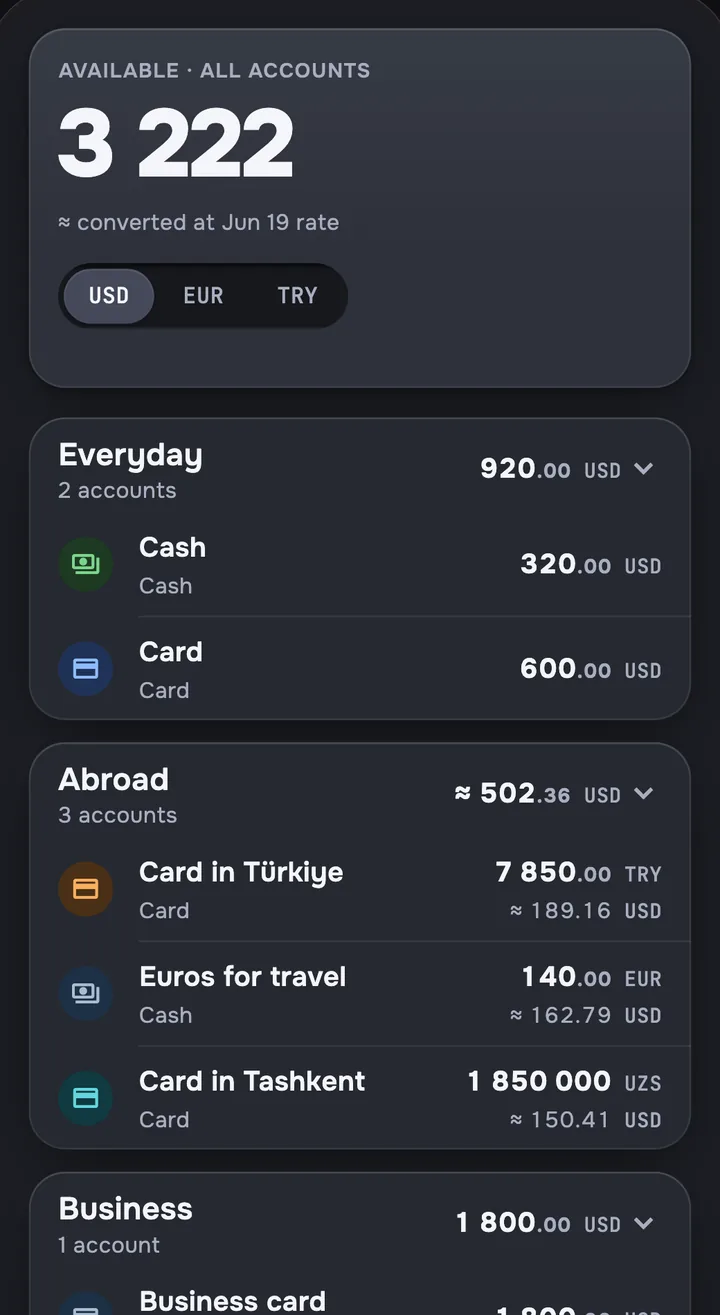
Accounts screen: one total in dollars above three groups — Everyday, Abroad and Business — with accounts in lira, euros and som converted to dollars
Spending abroad

Spend abroad. No calculator.

Paying in dong with a card in som? Enter the amount as it was on the receipt — Evela converts it at the market rate and keeps both amounts. If the bank charged a different amount, you can put in the real one.
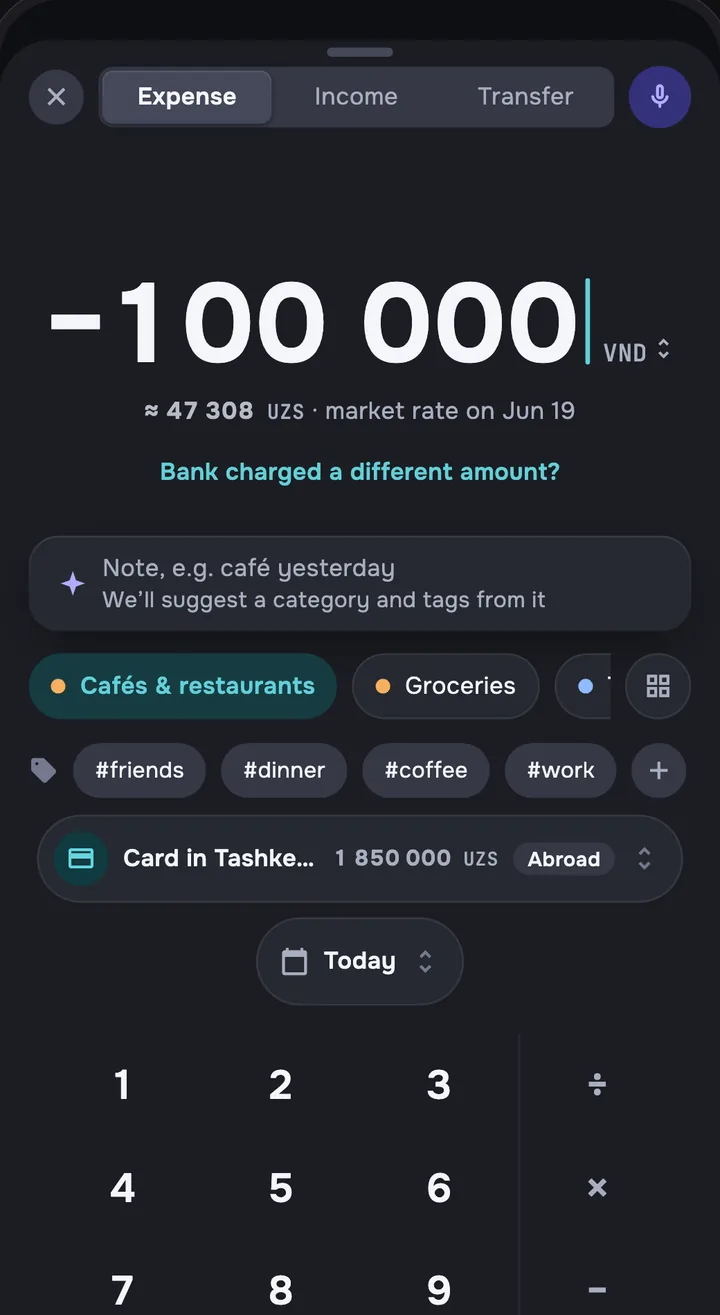
Entry form: a spend of 100,000 dong from a card in som, with the converted amount at the market rate and a link for when the bank charged a different amount
Voice input

Say it. AI drafts the entries.

“Coffee 2 dollars, taxi 8, groceries 35” — and three entries are ready, each with its amount, category, account and date. You check them and tap Done. Voice understands 77 languages. Typing is free on every plan.

In the Evela AI plan
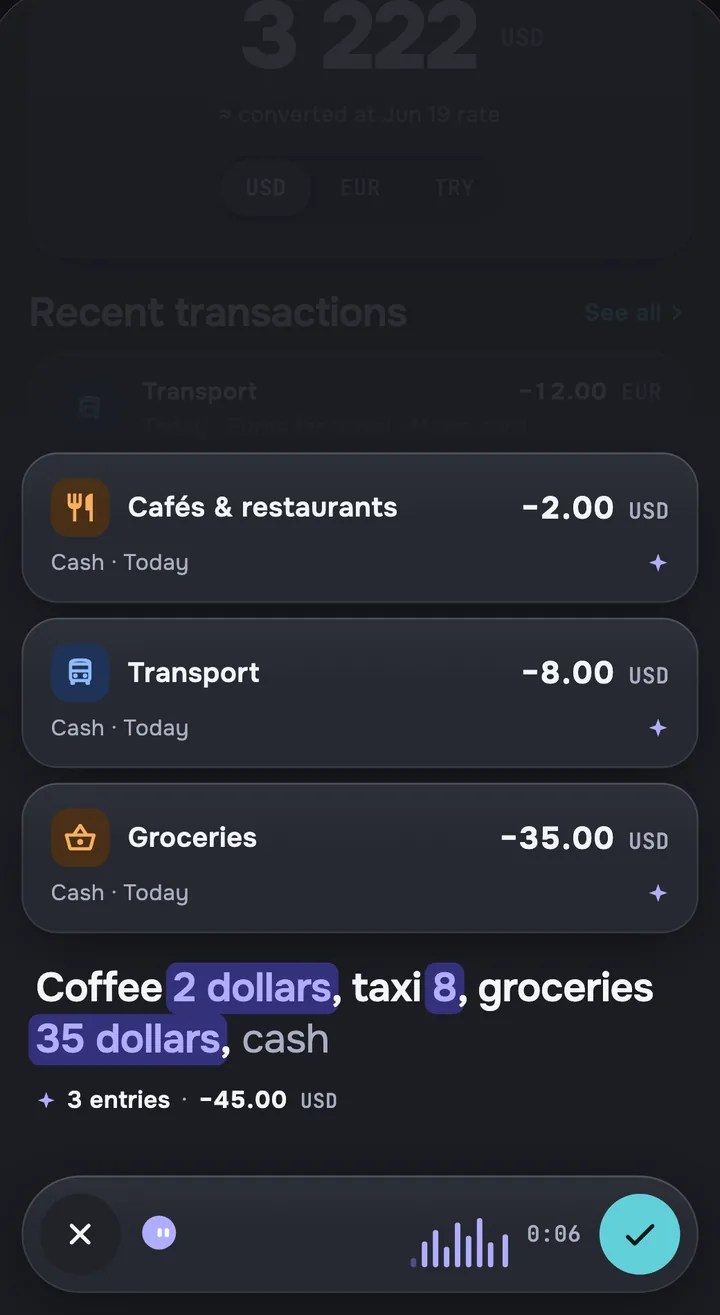
Voice entry: three entries — cafés, transport and groceries — built from one spoken sentence, with the recognised amounts highlighted
Insights

What’s changing in your spending.

Evela reads your entries and points out what’s changing: a category creeping up, a payment that repeats, a week that doesn’t look like the rest. AI puts it into plain words. Every insight is marked as an observation, not advice.

In the Evela AI plan
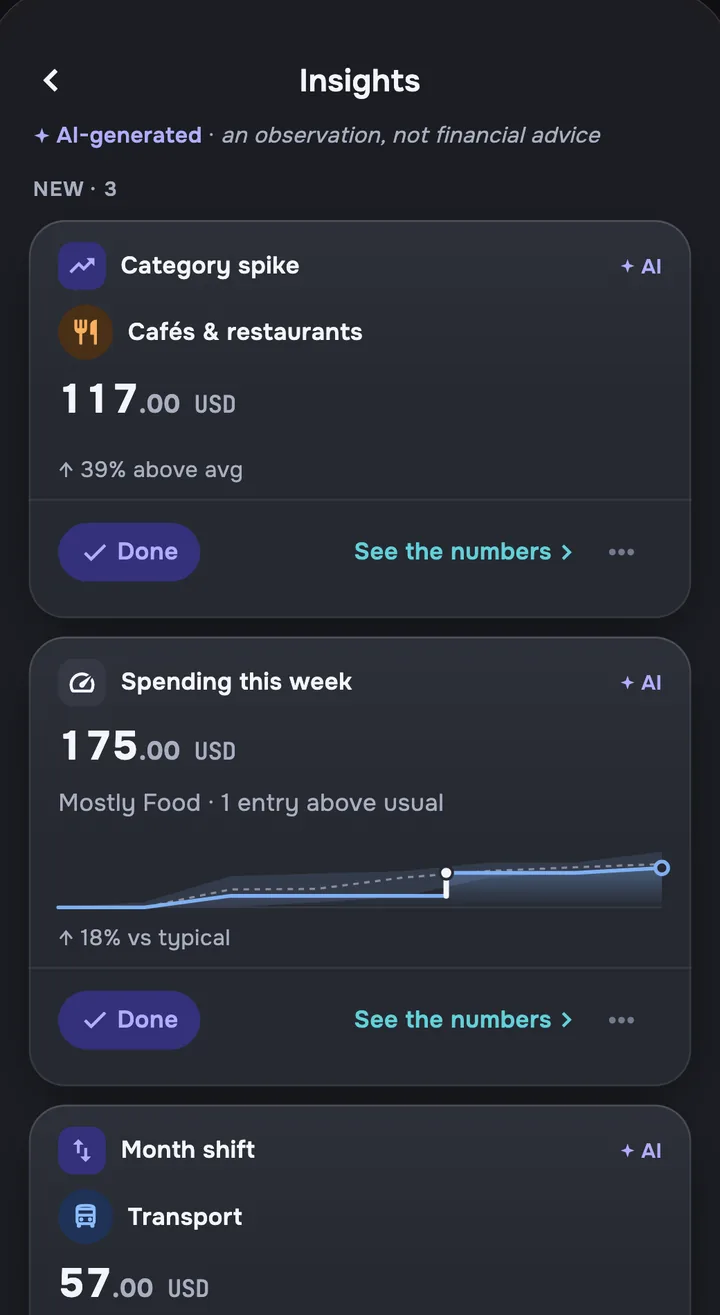
Insights screen: a category spike in cafés and restaurants, a faster week than usual and a drop in transport, each with its numbers
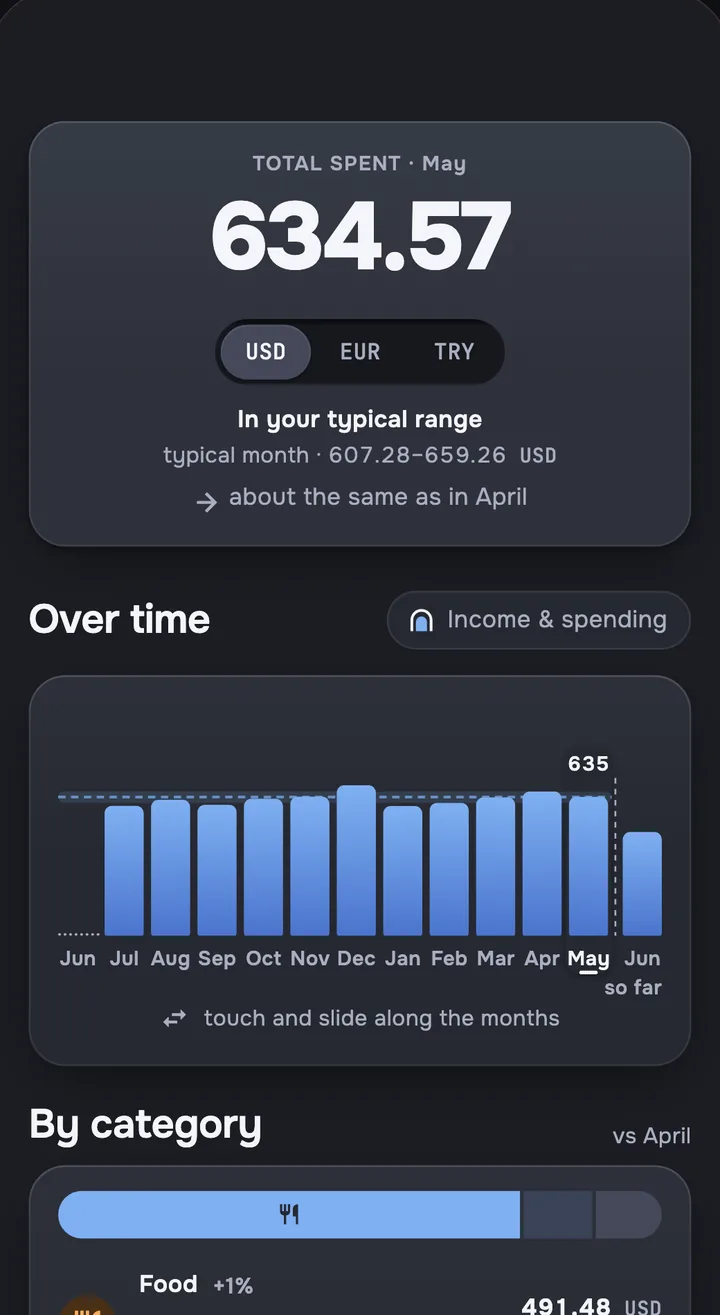
Spending screen: May’s total within the typical range, a year of months as bars and the start of the category list
Spending by month

See where the month went.

Spending by month and by category, next to your typical month — above it, below it, and what took the most.
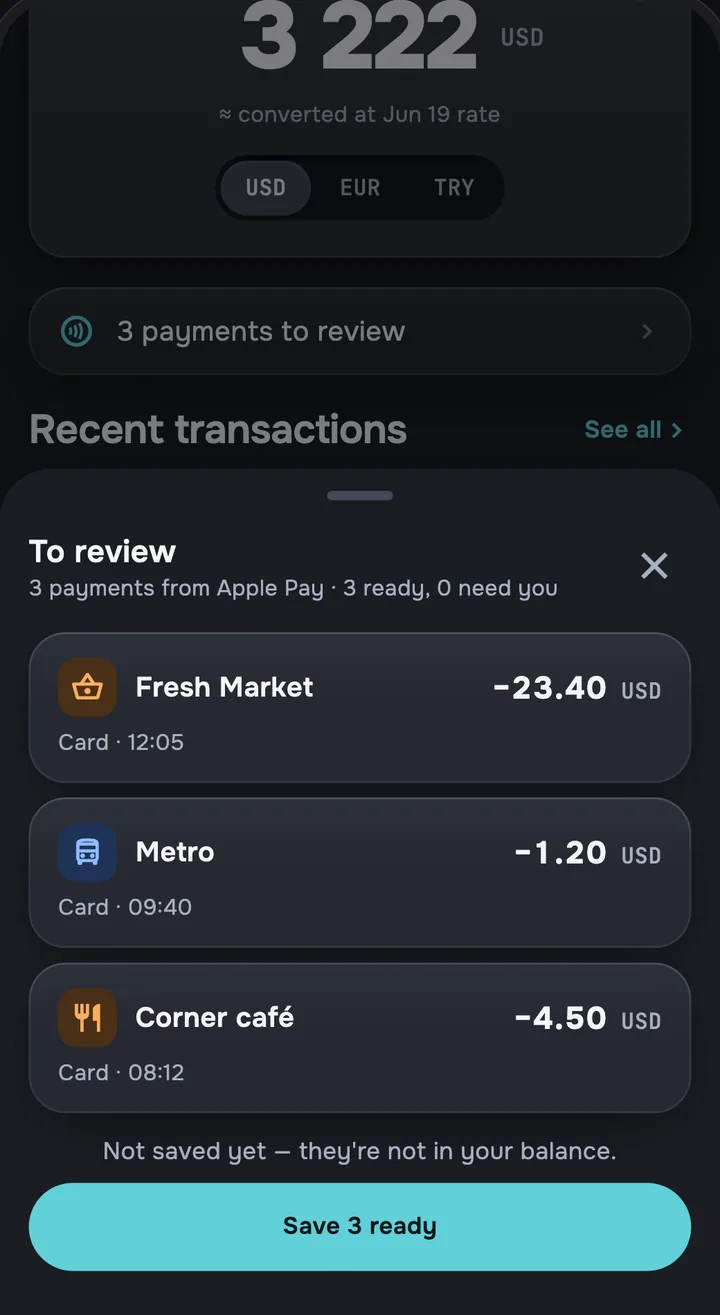
To review sheet: three Apple Pay payments with categories, not in the balance yet, and a button to save the three that are ready
Apple Pay · iPhone

Apple Pay payments come in on their own.

Set it up once in Shortcuts. Each payment waits in To review, and nothing reaches your balance until you save it.
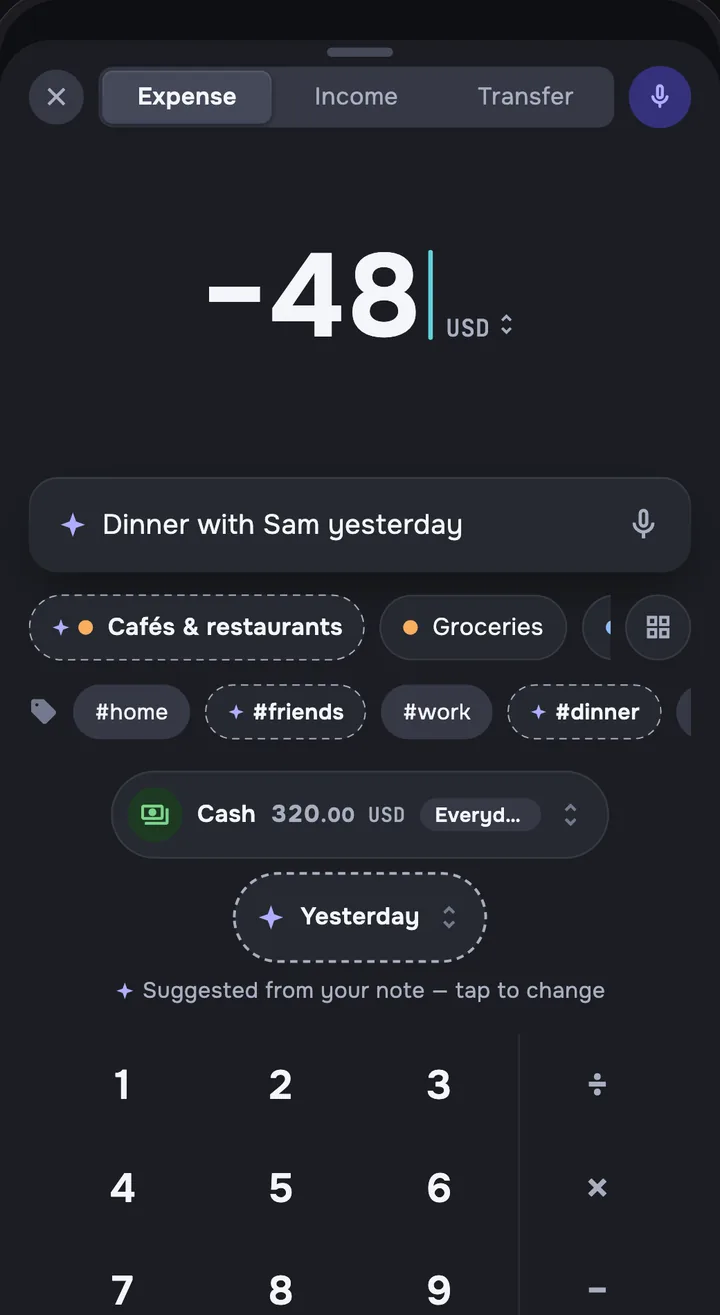
Entry form: the note “Dinner with Sam yesterday” with a suggested category, tags and the date set to yesterday
Notes

Write a note. AI fills the rest.

“Dinner with Sam yesterday” — AI suggests the category, tags and date from your note. You check and save.

In the Evela AI plan

Also in Evela: CSV export, offline entry, a dark theme, and an interface in English, Russian and Turkish.

Privacy & security

Your financial data stays yours.

Encrypted on your device and synced securely to your account — and to every other device you sign in on, in seconds. Lock the app with Face ID or a PIN. And you can delete your account and all of your data whenever you want.

encrypted
lock
Encrypted at restYour data is stored encrypted on your device (SQLCipher); secrets live in the OS keychain.
devices
Instant sync across devicesAdd it on your iPhone, it's on your Android a second later. No signal? It syncs the moment you're back.
fingerprint
Biometric & PIN app lockOpen the app with Face ID, Touch ID, or a 6-digit PIN.
delete_sweep
Delete anytimeRemove your account and all your data on request — no questions.
How it works

Start in seconds.

login01
Sign in with Google or Apple. No passwords to remember. Your account is created inside the app.
mic02
Add expenses by voice or tap. Speak a transaction or tap it in — either way it takes seconds.
donut_small03
See all your money in one total. Balances, categories and insights, counted from your entries.
What's coming

The order we're building in.

Evela is out on iOS and Android. Everything below is real work — listed in the order we pick it up, with no dates attached.

Already in Evela10
check
Multi‑currency accounts — and spending in local currency
check
Hidden accounts
check
Spending analytics
check
AI insights
check
Manual entry with a calculator, and voice in 77 languages — several at once
check
Write a note — AI picks the category, tags and date
check
Apple Pay payments come in on their own — on iPhone, for a quick check
check
CSV export
check
Interface in English, Russian and Turkish
check
Dark theme
lockStill no bank logins.
01
Building now
Planned income and payments What’s coming up, confirmed in one tap when it happens
Next — in order11
02
Bring your own AI
Connect ChatGPT or Claude to your data — it reads, and records only if you allow
03
Budgets
An income & spending plan
04
Snap a receipt
Photo in, transaction out
05
Deposits, loans and credit cards
Tracked alongside cash and cards
06
Split a transaction
One receipt, several categories — right as you add it
07
Debts & a plan to pay them off
Instalments and IOUs, with their payment dates
08
Long‑range analytics and insights
Income against spending over six months, a year and more
09
Reminders
Upcoming payments and budget alerts
10
More languages
11
Family sharing, watch and desktop apps
This is the order we’re building in — not a schedule.
verified_user

Encrypted storage and biometric lock. Your numbers — never sold, never used for ads. You can delete your account and all data anytime.

Read our Privacy Policyarrow_forward

Start tracking in seconds.

Free to track on every plan. Voice and AI insights come with Evela AI.

rocket_launchAvailable on iOS and Android